Quick Setup
Users can launch the translation service quickly and configure source and target languages in one place.
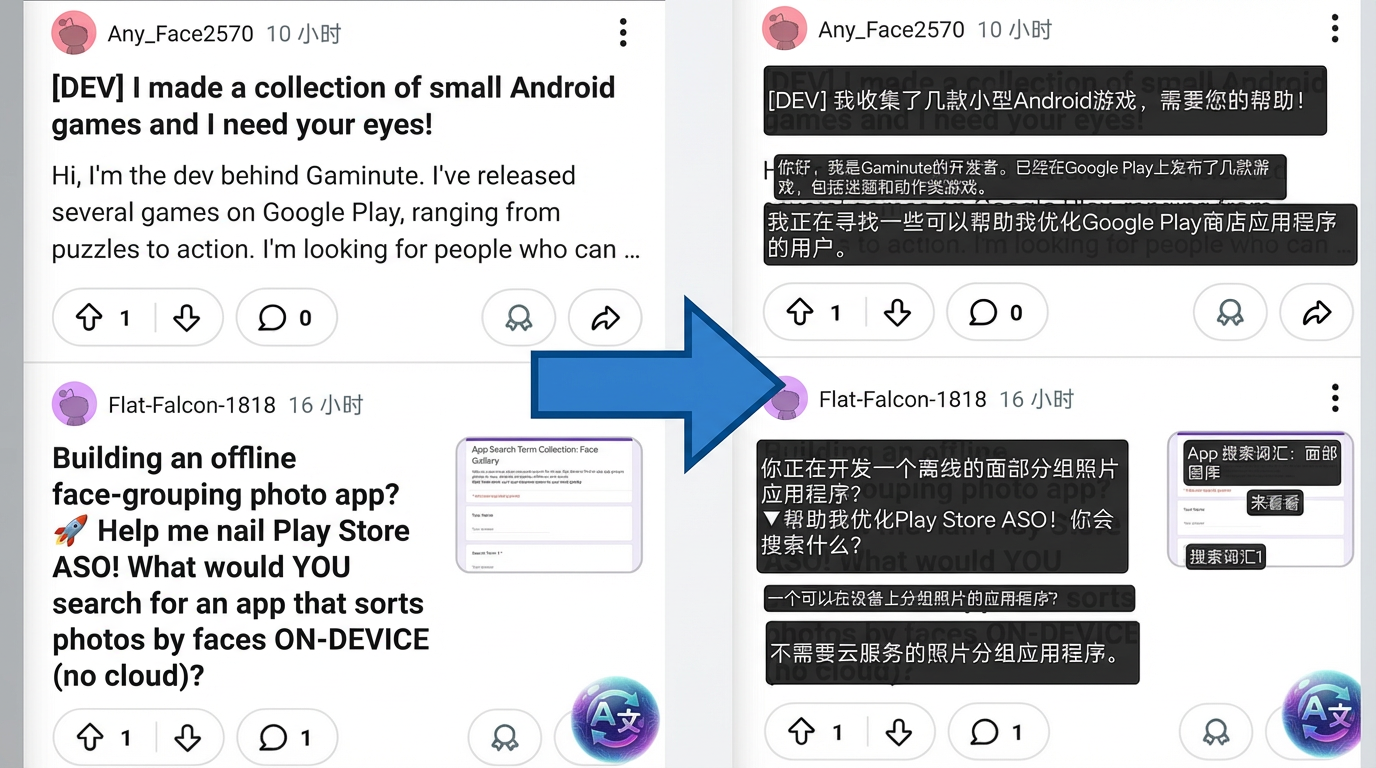
Translate text in apps, games, manga, webtoons, chat, and screenshots with a floating AI overlay.
AI Screen Translator helps you read foreign-language content on your Android screen without copy-paste and without switching apps. Tap once and translate what you see.
AI Screen Translator is built for people who need fast, practical screen translation on Android. It works on messaging apps, social media, mobile games, manga readers, shopping apps, and websites.
If text is visible on your screen, the app can capture it with OCR and translate it with an on-screen overlay. That makes it useful for Japanese games, Korean webtoons, Chinese shopping apps, chat messages, and screenshots.
This is not just a text box translator. It is a real screen translator for Android that helps you stay inside the app you are already using.
Browse app guides Browse game guides Read manga use case See comparisons
Translate between English, Chinese, Japanese, Korean, Spanish, French, German, Thai, Vietnamese, Arabic, Russian, Portuguese, Italian, and more.
Translate visible text with one tap. The floating overlay works on top of apps, games, manga readers, browsers, and social media.
Use AI translation for more natural wording when you read game UI, comic dialogue, chat text, app menus, and short-form content.
Recognize text from screenshots, images, comic panels, subtitles, and UI elements directly on your Android screen.
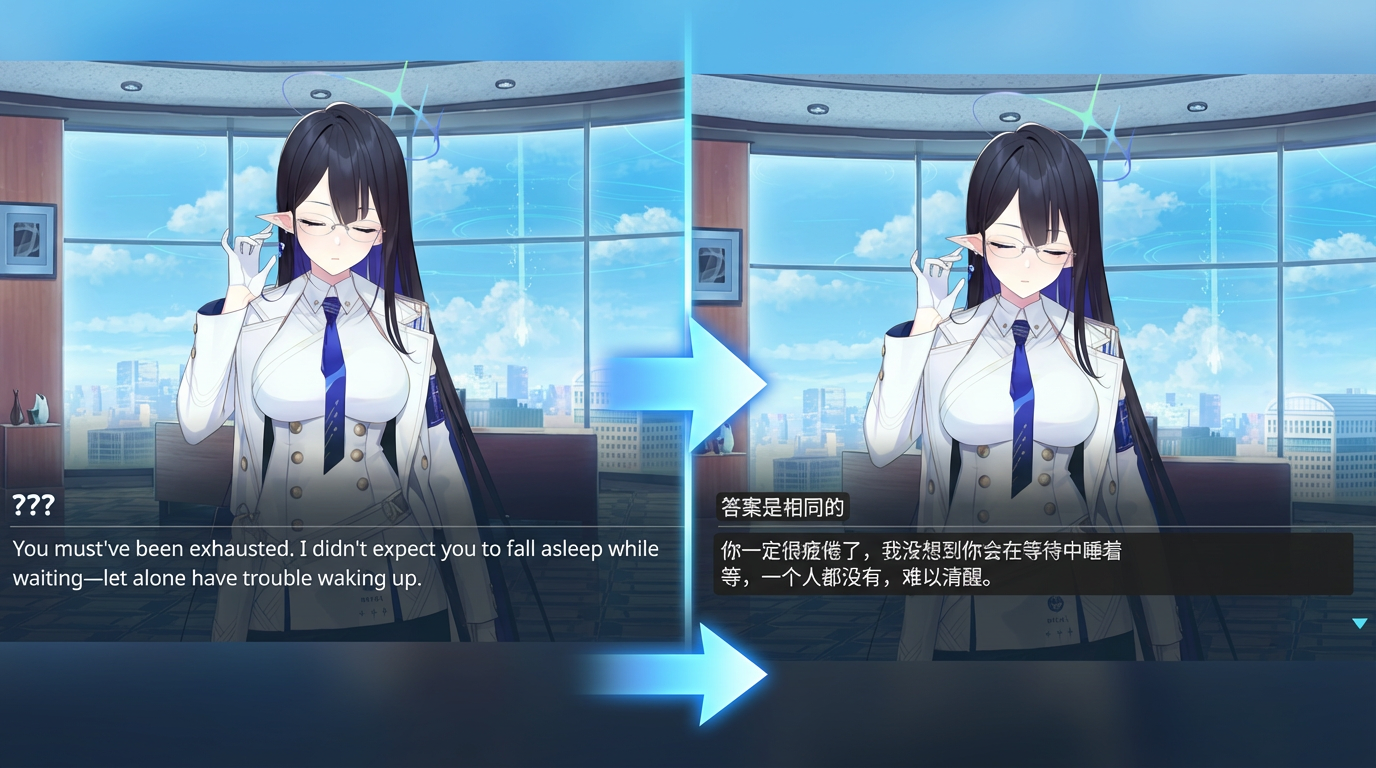
Use screen translation for mobile games without mods or patches. Read quests, menus, and dialogue with an external overlay workflow.
Translate WhatsApp, LINE, Discord, TikTok, Instagram, Chrome, manga apps, shopping apps, and foreign-language mobile games.
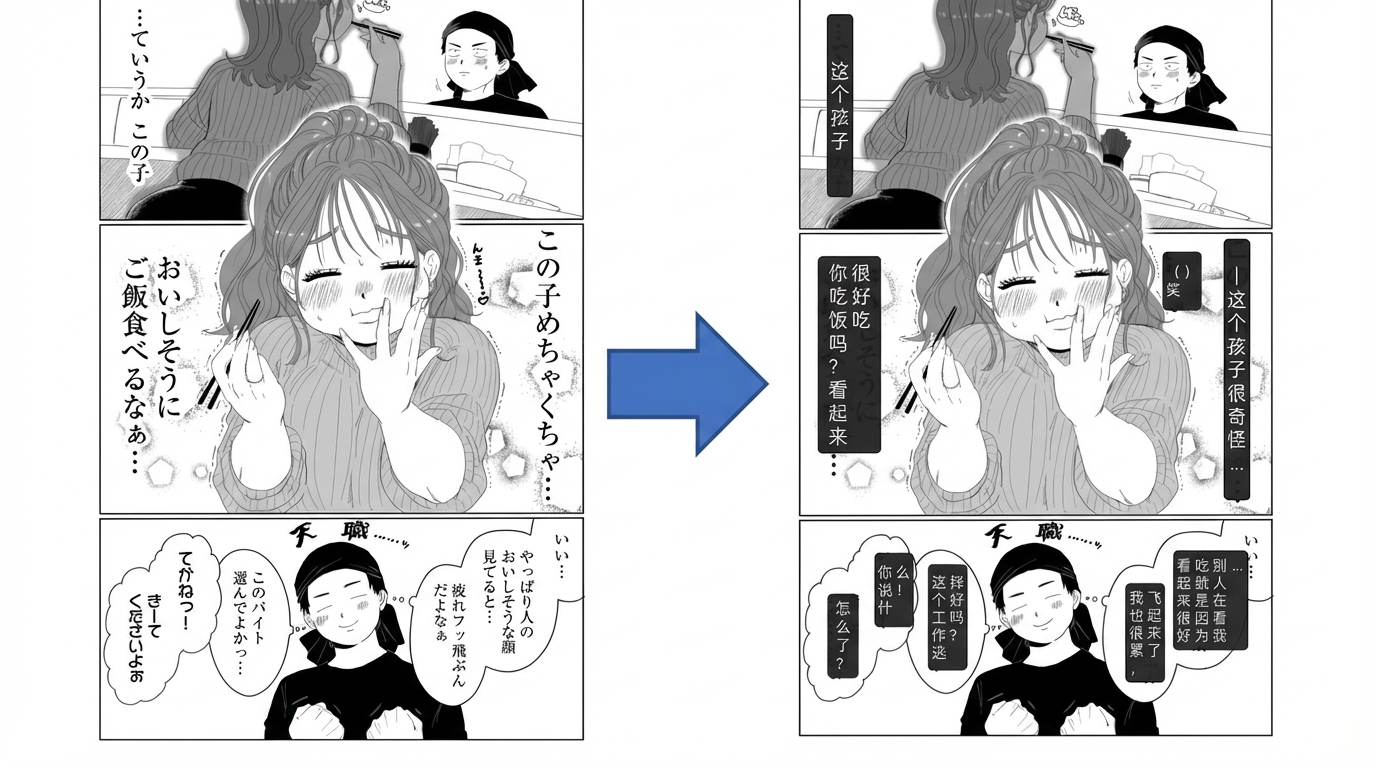
Read raw manga, webtoons, and comic panels on Android with OCR and instant translation.
Open manga guideTranslate Japanese, Korean, and Chinese game menus, quests, and story text while you play.
Open game guideTranslate messages, comments, captions, and stories without jumping between apps.
Open chat guideUse OCR translation for screenshots, images, UI text, and in-app content that you cannot copy.
Browse app guidesDownload AI Screen Translator from Google Play and grant the required overlay permission.
Start a game, messaging app, manga reader, shopping app, or browser page with foreign-language text.
The app captures what is on screen, recognizes text with OCR, and shows a translated overlay in place.
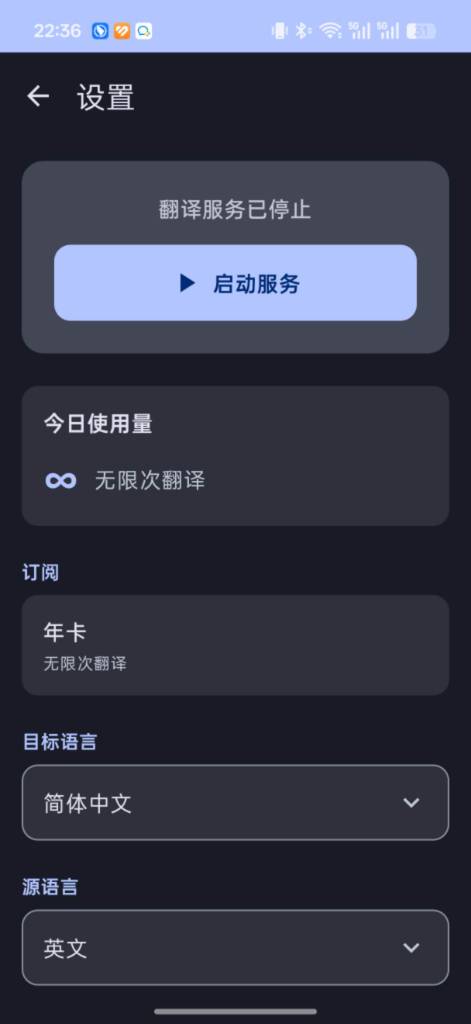
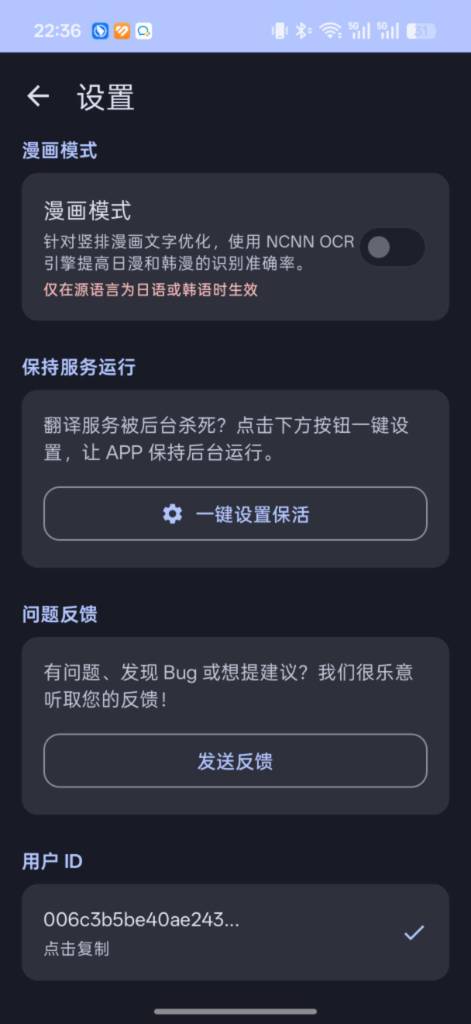
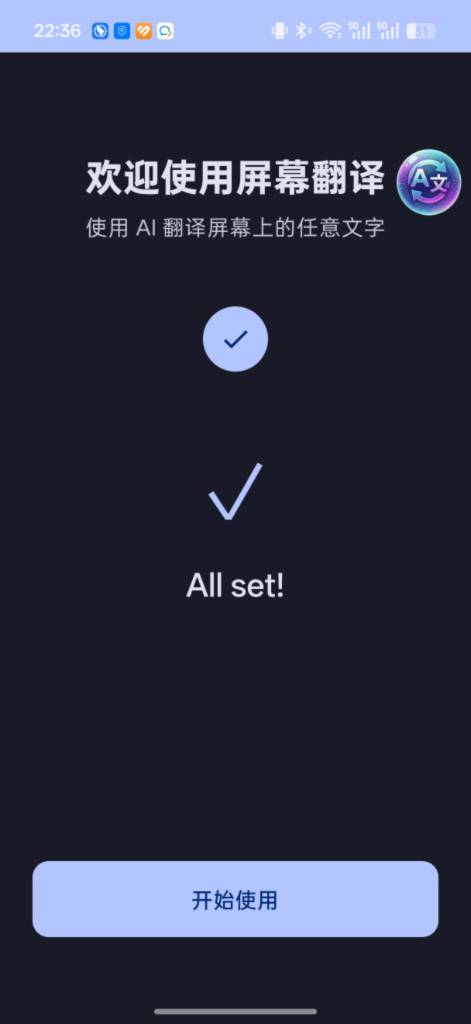
These additional product visuals show the onboarding flow, settings experience, and the simple floating-translation workflow users see inside the app.
Users can launch the translation service quickly and configure source and target languages in one place.
The app includes options like manga mode and background keep-alive settings for longer reading sessions.
The welcome flow keeps setup simple so new users can start translating apps, games, and screenshots in a few taps.
| Feature | AI Screen Translator | Google Translate | DeepL | Papago |
|---|---|---|---|---|
| Screen overlay translation | Yes | No | No | No |
| No copy-paste needed | Yes | No | No | No |
| OCR for screenshots and UI | Yes | Partial | No | Partial |
| Works in apps and games | Yes | No | No | No |
| Useful for manga and webtoons | Yes | Partial | No | Partial |
| Useful for game UI | Yes | Partial | No | Partial |
It translates text that appears on your Android screen. That includes apps, games, manga, chat, screenshots, and UI text that you cannot easily copy.
Yes. The app is useful for manga, webtoons, and comics because it can read text from panels and images with OCR and show the result as an overlay.
Yes. Many users install the app to read Japanese and Korean mobile game menus, quests, and story dialogue without patches or mods.
No. The goal is to keep you inside the app you are already using. Tap the floating button and translate what is currently on your screen.
Use AI Screen Translator if you want a practical Android translation workflow for apps, games, manga, chat, screenshots, and foreign-language UI.
Download Free on Google Play